
The Zippy Install · 8 steps
Robotic Lawn Mower Installation, Done Right
A robotic mower is only as good as its install. Here is everything a professional installation includes, step by step, and why most DIY setups never reach full performance.
Free · a couple of minutes · no account needed to start
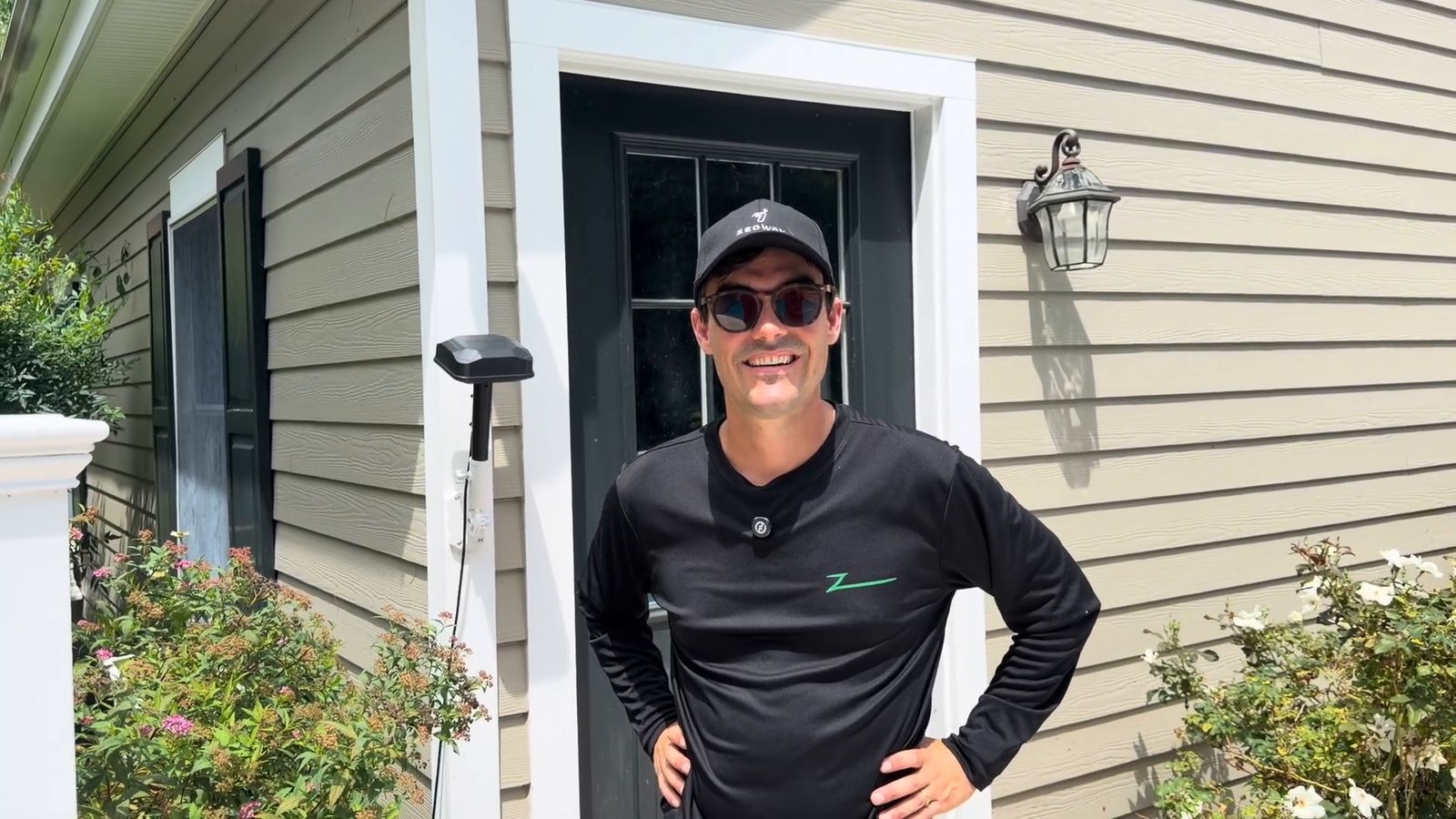
In short: a professional robotic mower installation is eight steps: choose the mower from a measured map, survey the site and place the charging station, optionally set it on a mat, mount the RTK antenna where it sees open sky, mount the power supply off the ground (in an outdoor enclosure or on the wall) so winterizing is one unplug, map the zones and no-go areas, test the map on site, and train the owner. Most residential installs are one visit of about half a day. Ours is $499 for lawns up to an acre and $799 over.
Watch a whole install
What a Professional Robotic Mower Installation Actually Looks Like
One job filmed start to finish: the site walk, the antenna, the power, the map and the handoff. The steps below explain why each part is done the way it is.
Step 1 of 8
Choose the right mower for your lawn
Start with a measured map, not a spec sheet. Your real mowable area, slopes, obstacles and number of separate zones decide which mower fits — and the wrong mower for your lawn is the most expensive mistake in robotic mowing.
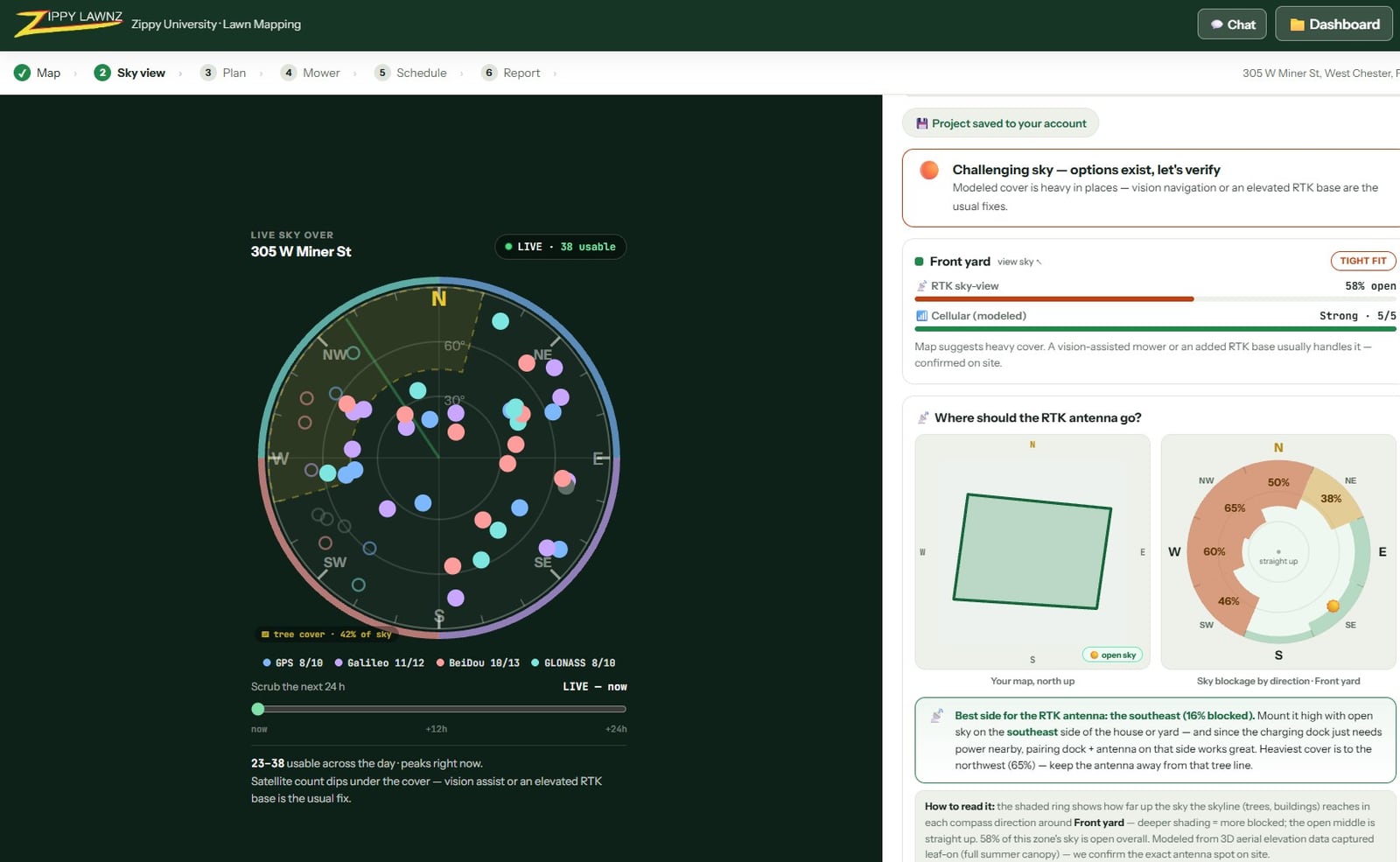
- Our free mapping tool measures the mowable square footage from satellite — not the lot size — and splits it into zones.
- It reads the slope, the open sky an RTK mower steers by, and the cell coverage NetRTK depends on.
- A rated acreage is the manufacturer's best case. Narrow passages, beds, trees and hills all eat into it, so we size to your measured lawn, not the box.
- If a lawn is a bad fit, the map shows it before anyone spends a dollar — and we'll tell you.
The wrong mower for your lawn is the most expensive mistake.
| Mower | Rated for |
|---|---|
| Navimow X430 | 1 acre |
| Navimow X450 | 1.5 acres |
| LUBA 3 AWD 5000 | 1.25 acres |
| Terranox CM120M1 | 3 acres |
| Terranox CM240M1 | 6 acres |
| Yarbo Y40 Lawn Mower Pro | 6 acres |
Ratings are the manufacturer's best case. Your real number depends on the lawn's shape, slope and obstacles, which is what the map measures.
Go deeper
▶ Will a Robotic Lawn Mower Work for YOUR Lawn? The 6 Checks That Decide It
Step 2 of 8
Survey the site and place the charging station
Before a tool comes out of the van, we walk the property, and the first decision is where the mower will live. The nearest outdoor outlet is rarely the right answer.
- Level, firm ground, so the mower docks square every time and the base doesn't settle after a wet spring.
- Open sky above the dock. The mower gets its satellite fix there before it leaves. A dock under a deck, a metal roof or an awning causes positioning errors that look like a broken mower.
- Shade if we can get it. A battery charging hot in afternoon sun pauses to protect itself, and the schedule slips behind it.
- Power within a safe, protected run (step 5 covers how).
- A clean path into every zone, central to the areas it mows most. At 2 ft/s, a dock 300 feet from the work spends about five minutes of every round trip commuting.
- And how you use the yard: where the kids play, where the dog runs, which areas you want cut more often. That conversation shapes the map in step 6.
Go deeper
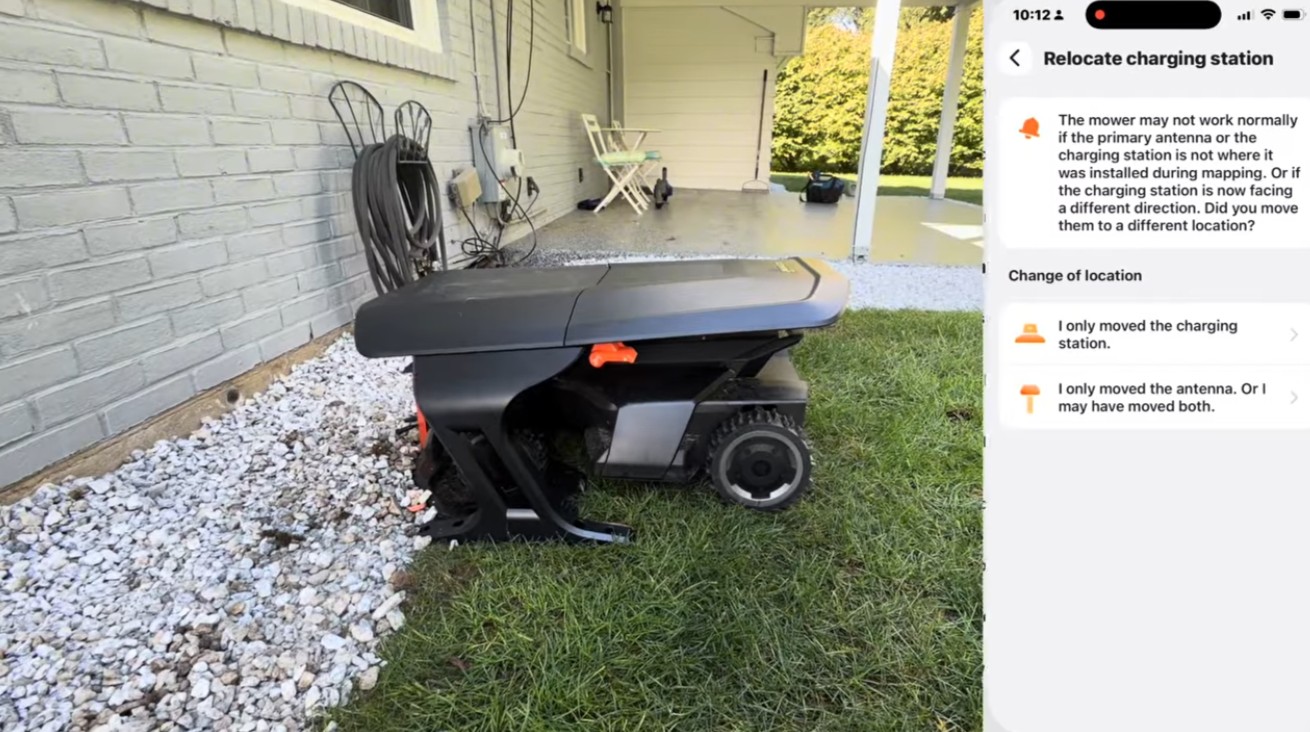
▶ How to Relocate Your Navimow Charging Station + Should you get a garage?
Step 3 of 8Optional upgrade
Set the charging station on a mat
The dock is the one spot the mower can never cut. Its footprint and the ring of grass around it go shaggy, because the blades don't reach the edge of the chassis and the mower needs clearance to dock. A rubber mat under the station fixes that.
- A 3 ft × 5 ft rubber mat puts the station outside the cut area, so there's nothing to trim around it.
- It gives the dock a level base that won't settle unevenly.
- It keeps wet clippings and mud off the charging contacts.
- We map the boundary so the mat sits just outside the mowing area, still under open sky.
- Pair it with a plastic mower garage for shade. Plastic lets through the satellite signals a metal awning blocks.
Go deeper
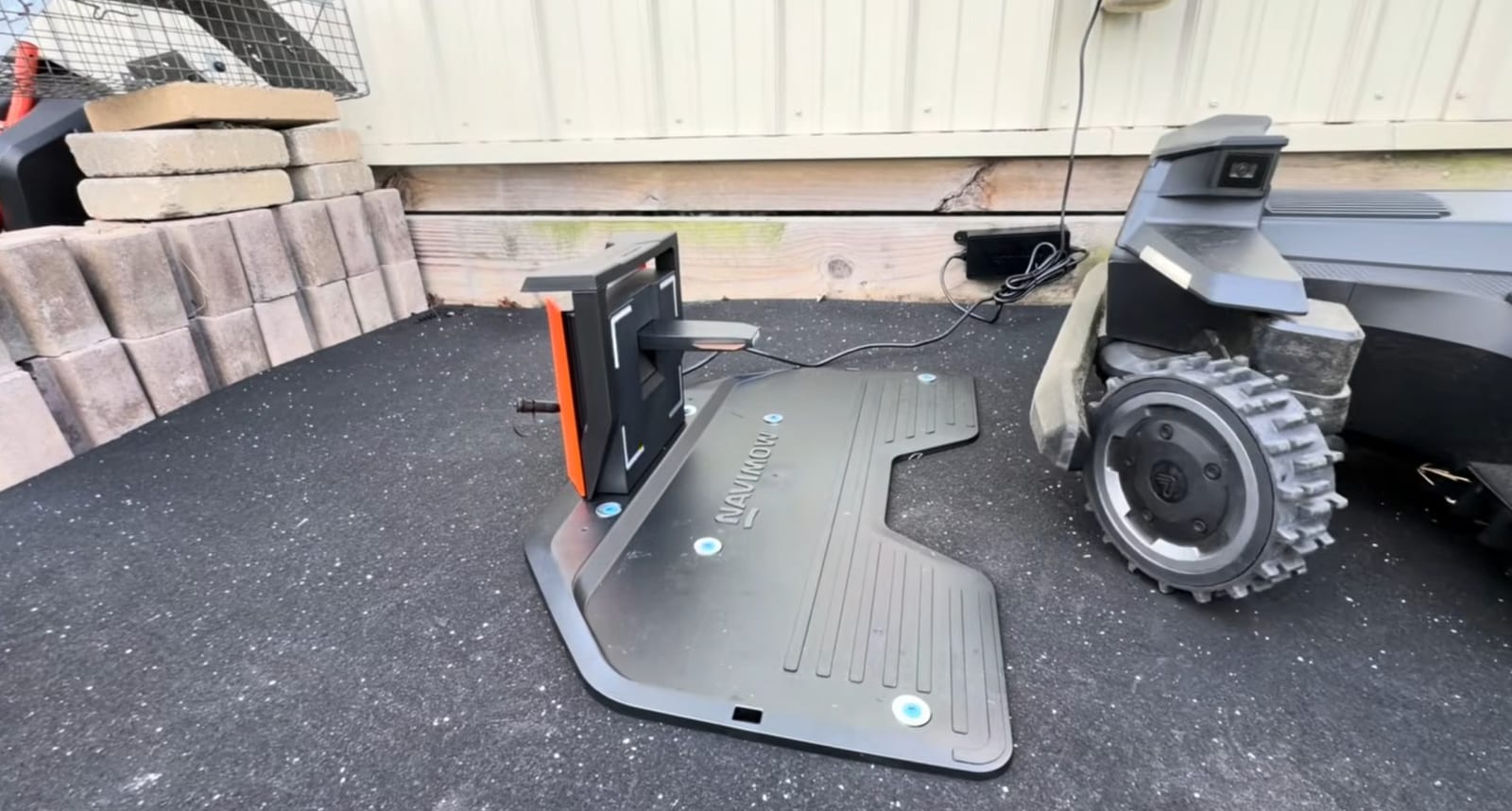
▶ Navimow X450 Full Install: Zone Splitting, Mowing Directions, and a Charging Pad Trick
Step 4 of 8The step that matters most
Install the RTK antenna where it sees the sky
RTK antenna placement is the single biggest factor in how well a robot mower performs. The antenna is the fixed reference that turns meter-level GPS into centimeter-level positioning, and the mower is only ever as accurate as the corrections it gets.
- Open sky. We find the widest open patch of sky available. Trees, rooflines and big shrubs each block satellites.
- Height. Wall, eave, roof or a braced pole. On one tree-covered yard that two other installers walked away from, we put the antenna on a 25-foot pole above the canopy.
- A rigid mount. RTK measures to the centimeter, so an antenna that sways in the wind turns into position error the mower inherits.
- Clear of reflections. Metal roofs, big glass and pools bounce satellite signals into the antenna and make the fix noisy.
- Cabling and dedicated power. The antenna goes where the sky is, not where the outlet is. We run its power to it in buried PVC conduit, so nothing crosses the lawn and a cable can be replaced by pulling a new one through.
- Verified, not assumed. We check the fix quality before we leave, not just that it powered on. Once the map is built against the antenna, moving it means remapping, so placement is permanent.
How far one antenna reaches
- ~600 ftwith a clear line of sight. One base antenna covers it.
- ~300 ftthrough trees or around buildings. We plan on half.
- +600 ftwith an extension antenna placed so the two ranges overlap.
- Beyondthat ground runs on NetRTK over cellular, and we check the coverage on site.
These are our field numbers from real installs. Drop the antenna pin on your lawn in the free mapping tool and it draws the reach ring for you.
Go deeper
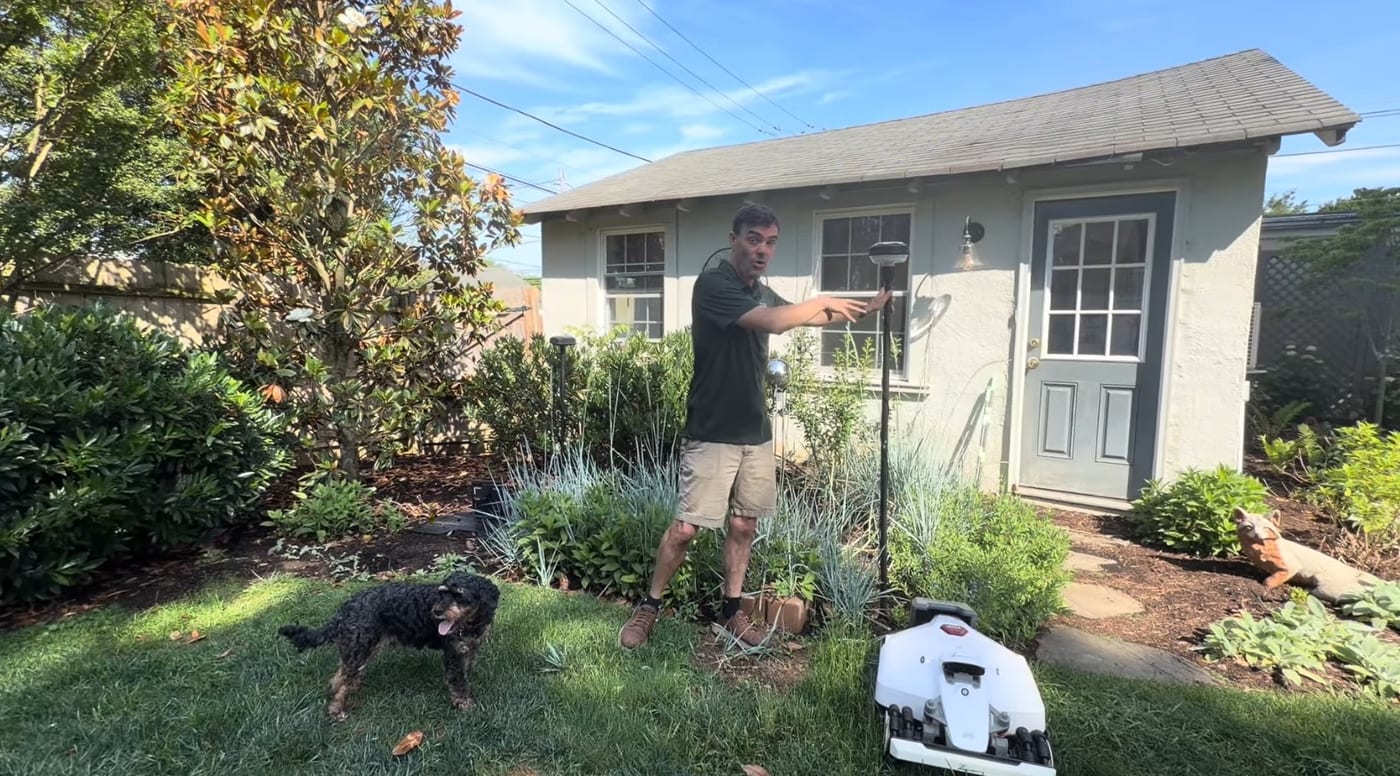
▶ Where to Install Your Robot Mower's RTK Antenna (Most People Get This Wrong)
✕ Staked low beside a tree2 of 5 satellites in view. The fix drifts, and it gets worse as the leaves fill in.
✓ Mounted high on the house5 of 5 in view. A steady, centimeter-level fix, all year.
Why we don't rely on cellular alone
Out of the box, many mowers default to NetRTK: corrections from a distant reference network, delivered over the internet and your cellular or Wi-Fi link. It needs no hardware, and it works where coverage is strong across the whole lawn. A base station on your property sends the same corrections in one direct radio hop. There's no internet in the loop, nothing to stutter when the cell network does, and it keeps working in a dead zone. That's why we install the base on mowers that support one.
Some models, like the Mammotion LUBA 3 and the Yarbo Y40P, are NetRTK-only and have nothing to mount. For those, this step is a cellular check across every zone, with a Wi-Fi extender as the fallback.
Step 5 of 8
Mount the power supply off the ground, ready for winter
A power supply doesn't belong in the grass. On the ground it gets wet, gets hit by mowers and trimmers, collects debris, overheats and corrodes, and it's one of the most common failures we fix on other people's installs. We put it in an outdoor enclosure or on the wall, and set it up on install day so winterizing is one unplug.
- In an outdoor enclosure: a weatherproof box on the wall or a post that holds the power supply and the plug together, keeps both dry and shaded, and stays closed while it runs. It's the clean answer for an exposed outlet, a dock far from the house, or a wall that doesn't suit a bracket.
- Or wall-mounted on the house, garage or shed, up out of standing water and splash-back.
- Cables routed, secured and buried to the dock, so there's nothing to run over, trip on, or for animals to chew.
- Prepped for winter from day one. The enclosure or mount goes where you can reach it in November, with the dock's cable connecting right there. In the fall you unplug in one place; nothing gets dug up, cut or left live all winter.
Go deeper
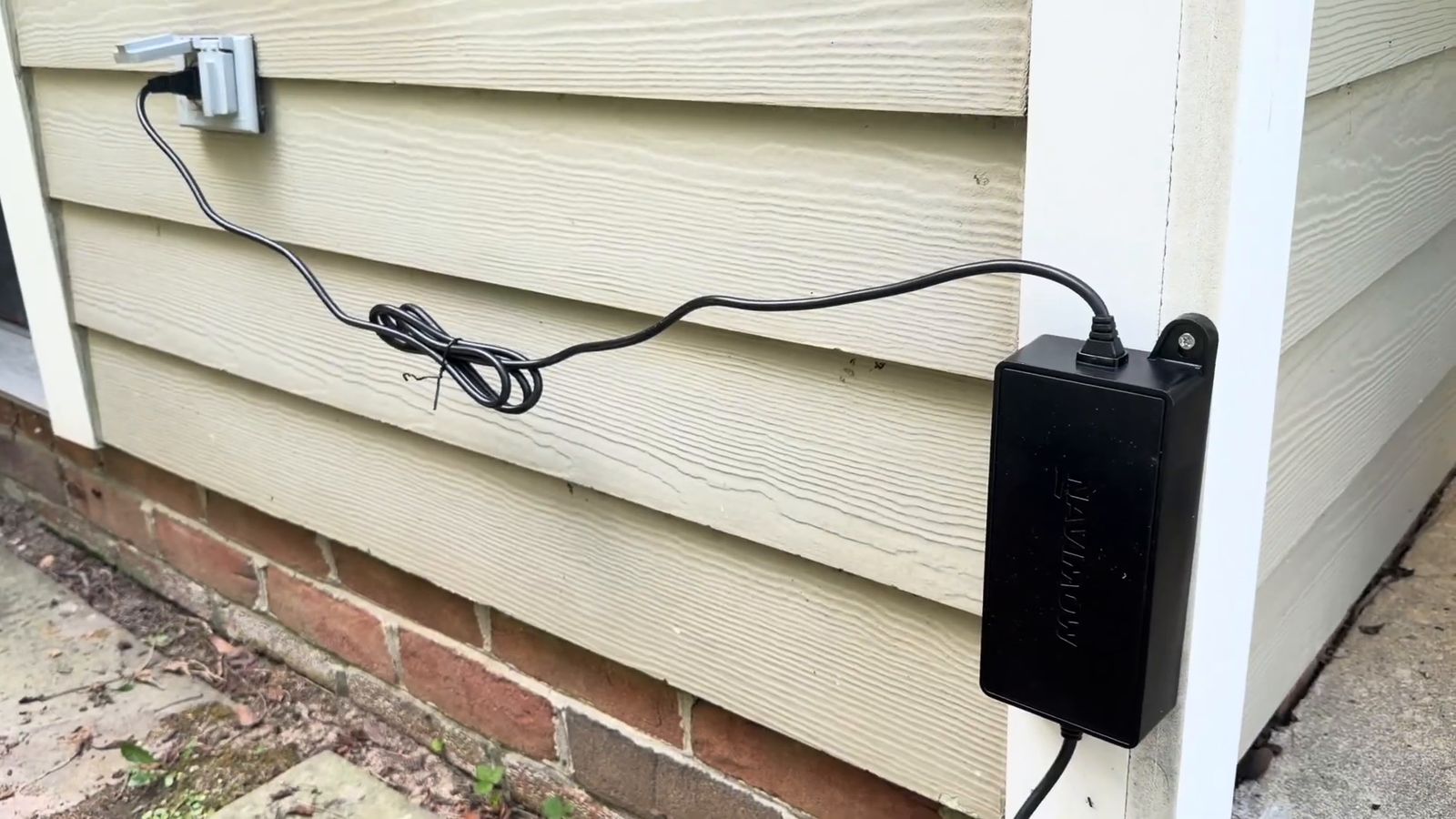
▶ No More Mowing Hills — Pro Navimow X430 Installation (RTK Roof Mount + Buried Cables)
Step 6 of 8
Map zones, no-go areas and mowing direction
Mapping happens after the hardware is in, never before. The map is recorded against the antenna's position and the dock's, so a map drawn before either is final has to be redone.
- Zones that match how you use the yard (front, back, side), each with its own schedule and cutting height where that helps.
- No-go zones around beds, tree rings, the septic lid, the pond, the drop-off.
- Channels: straight, narrow passages between separate areas, mapped so the mower doesn't wear ruts.
- Mowing direction: fixed where it helps (stripes, a slope, a long narrow strip) and varied where it doesn't, so the wheels don't keep tracking the same lines.
- A schedule built around the map: zone order, days, end times and the battery's run-and-recharge rhythm, so the whole lawn is cut on time.
Go deeper
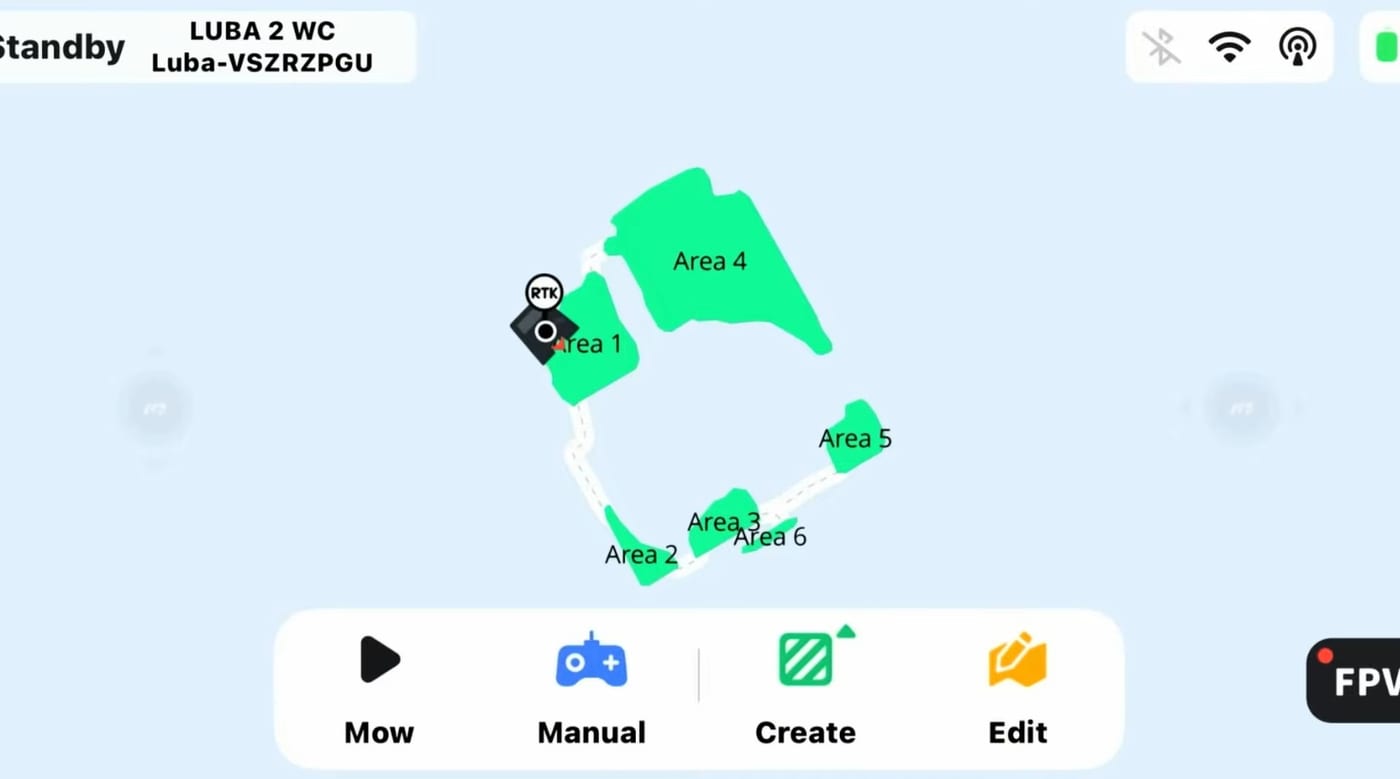
▶ How to Map Your Lawn with a Navimow (And How Long It Actually Takes)
Step 7 of 8What sets us apart
Test the map and walk it on site
Software can't see what a person on site can. A map that looks perfect on a phone still has to work on the real lawn, so we walk it with the mower before we call it done.
- Walk the perimeter behind the mower and watch every edge: beds, hardscape, the fence line, where the lawn meets the driveway.
- Check the interior: roots, sprinkler heads, soft or wet low spots, a slope steeper than it looked.
- Find the tricky spots: narrow passages, tight turns, the dock approach, anywhere the signal weakens.
- Refine the map on site (move an edge, add a no-go zone, redraw a channel), then run it again.
- We don't leave until it has run a full perimeter on its own.
Go deeper
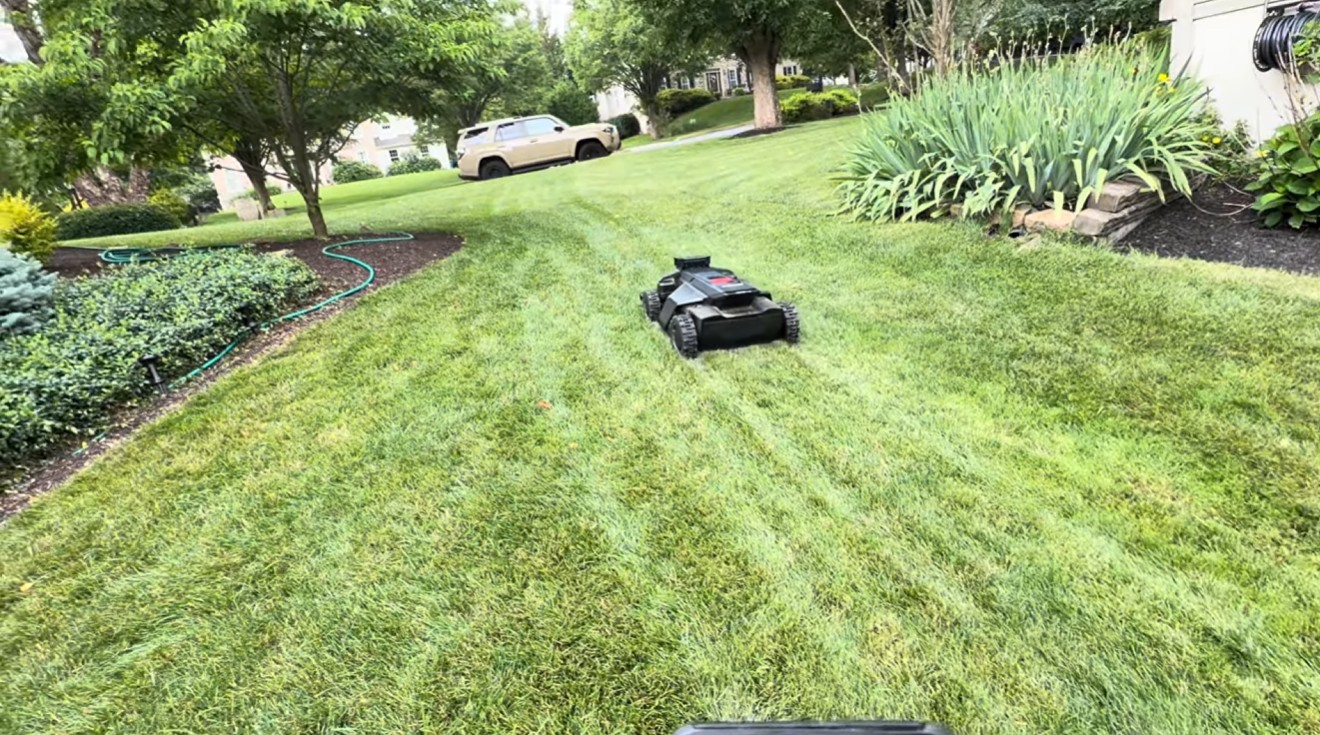
▶ How We Got 27% More Acreage Out of a Navimow X450 | Full Dealer Install
Step 8 of 8
Train the owner and hand it over
We don't leave until you can run the machine yourself. An owner who doesn't know how to adjust the mower ends up using half of it, so the training matters as much as the hardware.
- The app: start, pause and send it home; change the schedule; raise the cutting height for a dry spell; add a no-go zone; what each notification means.
- Care basics: blade changes, cleaning, and what to do in the fall.
- Your owner's handbook, so the answers are on hand later instead of half-remembered from install day.
- A local number: the people who installed it handle blades, firmware, seasonal prep and warranty work.
Go deeper
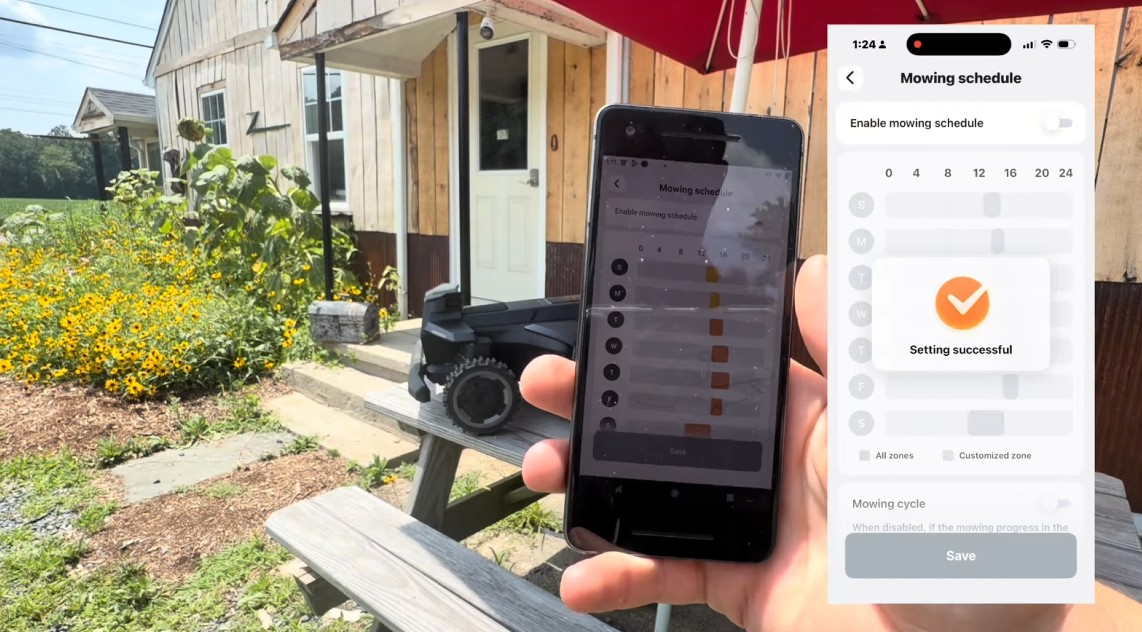
▶ How Scheduling Works on Segway Navimow Mowers — Zones, End Times & the Confusing Options
Fences & gates
MowGate and fence installs
A fence between two lawns used to mean a second mower or a gate left open. A Navimow MowGate is a battery-powered steel pet gate set into the bottom of the fence. The mower drives up, the gate unlocks for it, and it locks again behind it.
- Wood fences: we cut a 37 × 22 inch opening and build a pressure-treated 1×1 frame (a 40-inch cross beam on two posts buried about 6 inches), level it, and mount the gate to the frame. The gate ends up square and level even when the fence isn't.
- Aluminum fences: each picket is cut at the template's top line, not at the top rail. The stubs that are left become the bolt points for the gate's top frame.
- Mapping it: a zone on each side, then a channel recorded through the gate. Its four D batteries last about a season.
- Works with the Navimow X4 series, X3, i2, i1, H2 and Terranox.
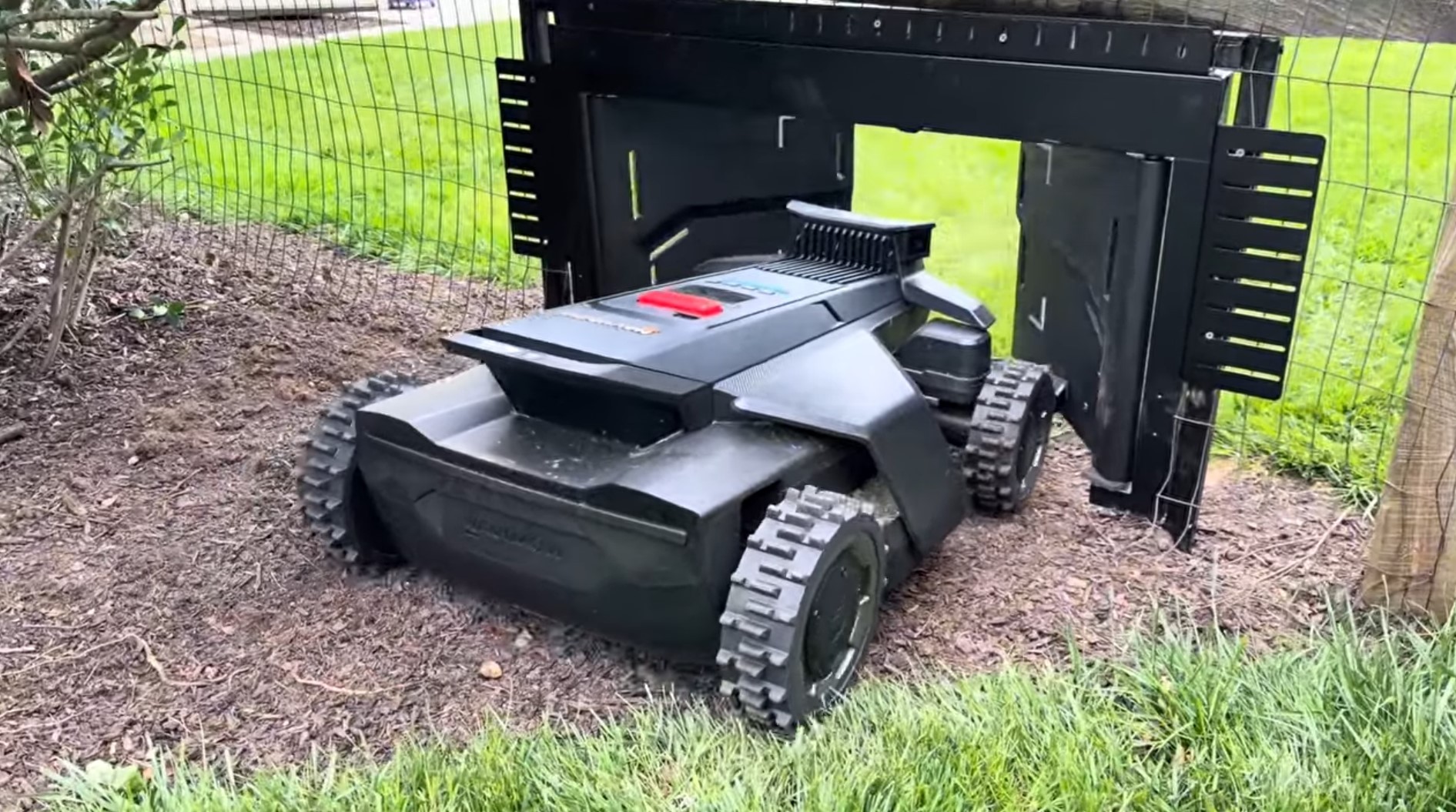
▶ Robotic Lawn Mower Gate Setup and Installation - Navimow MowGate
All year
Winterization and spring start-up
An install has to last all year, so we prep it for winter on install day. The mower comes inside; the equipment around it stays put and switches off in one place.
🛠️ On install day
- The power supply goes in an outdoor enclosure or on the wall, where you can reach it, with the dock's cable connecting right there.
- Cables are buried and secured, so there's nothing on the lawn to pull up, coil or trip over in the fall.
- The dock and RTK antenna are mounted to stay all year, so spring starts on the same map.
- You leave knowing the fall and spring routine.
🍂 In the fall
- Stop when the lawn stops growing (late October into November in the Mid-Atlantic), not on a set date.
- Clean the mower and store it inside at about half charge, somewhere dry that doesn't freeze hard.
- Leave the dock and RTK antenna mounted. They're outdoor-rated, and they hold the placement your map depends on.
- Unplug the power supply at its enclosure or wall mount for the season.
🌱 In the spring
- Fresh blades and the latest firmware.
- Plug it back in and check the RTK fix at the dock before the first job.
- Run every zone and channel once. A winter changes things (a new bed, a fallen limb, a soft spot), so update the map to match.
Rather not do it yourself? We do both as service visits. Ask about a Zippy Care service plan when we quote your install. · The full winterization routine →
DIY setup vs. a professional install
You can set one up yourself, and some people do it well. The difference shows up in the parts that are hard to undo later.
| Typical DIY setup | The Zippy Install | |
|---|---|---|
| Choosing the mower | From a spec sheet or a sale price | Matched to your measured lawn, slope and sky before you buy |
| Charging station | At the nearest outdoor outlet | Level, open sky, shaded where possible, central to the zones |
| Positioning | Left on NetRTK, or the antenna staked low wherever was convenient | Base antenna mounted high and rigid, reach checked against every corner |
| Power & cables | Power supply in the grass, cable across the lawn | Power supply in an outdoor enclosure or on the wall, cables buried in conduit |
| Mapping | The day it arrives, before the hardware is final | After the hardware is in: zones, no-go areas, channels, direction |
| Testing | It drove the perimeter once | Walked with the mower, problem spots fixed on site |
| Training | The quick-start card | App training and the owner's handbook, questions answered until there are none |
| Winter | Cords pulled out of the grass in the fall, or left plugged in all winter | Prepped on install day: one unplug, and the dock and antenna stay put |
| When something goes wrong | The manufacturer's support queue | A local number: the people who installed it |
What our install customers say
Verbatim from our Google reviews.
“Zippy Lawnz didn’t just sell me a lawn mowing robot. They had a comprehensive web-based tool to let me map my lawn and evaluate several brands. Then they came to my home and demoed the model I chose. A few days later Paul did a customized installation. Since then the tool has worked nearly flawlessly. Very pleased.”
“Paul at ZippyLawnz was great from start to finish. I did my own research before contacting him and he was on point with his info that he provided me. He also taught me MANY things about the Navimow X430 that I didn’t get from my research. He provided me with a complete setup of the mower, charging station, connection of the RTK antenna, along with a custom mapping of our large yard. He stayed with us to ensure that the mower made a couple of complete perimeter runs before setting up our initial schedule for the mower and showing us how to “tweak” it after we see a few days of operation. Two thumbs up, I highly recommend Paul.”
“The Navimow X450 is the real deal and can handle your lawn. I own a rural property with lawn, slightly larger than the 1.5 acres advertised, and the X450 keeps up with it perfectly. My lawn is far from perfect with roots, divots and various problems that I didn’t believe a robotic mower could handle. It’s no problem for this machine, and my lawn has never looked better. Zippy Lawnz and Paul are top notch and have been there after the fact to help. You can buy one of these online, but the personal touch and help Paul provides is different than the rest.”
“The salesman, Paul Richards, was knowledgeable, courteous and adequately explained the functioning and features of the robot lawnmower Navimow X450. Because I let the lawnmower cut 5 to 6 days per week, my yard constantly looks like it is very well maintained. I am very happy with the purchase and the quality of cut — the quality of cut is a direct result of it mowing 5 to 6 days a week. I have approximately one and 1/4 acres of grass and the mower can cut all of that in one day.”
What the Zippy Install costs
The mower is sold separately. Optional upgrades (a dock mat, an extension antenna, a MowGate, a garage) are listed on your quote so you can pick what you want.
Every install includes
- Mower matched to your measured lawn
- Site survey and charging station placement
- RTK antenna mounted where the sky is open (wall, roof or pole)
- Power supply mounted off the ground and prepped for winter
- Zones, no-go areas, channels and mowing schedule
- Map tested and refined on site
- App training and the owner's handbook
Outside our install area? You still have a team.
We ship nationwide and stay with you long after the box arrives. No overseas RMA, no call center — the same team that sells and services these machines locally has your back wherever you are.
One number — 410-725-7500 — reaches the people who know these mowers, not a tier-1 queue reading a script. Call or text; a human who runs these machines every day answers.
Buy from us and you go to the front of the line all season. When downtime costs you mowing days, fast answers matter more than anything else.
Blades, pre-installed cutting discs, batteries, wheels and common wear parts on our shelf for the exact models we sell — shipped fast, so your mower never waits weeks on a part.
Navimow, Mammotion, Yarbo and Lopkin — we run them on our own lawns. Mapping, RTK, firmware, error codes: you get an answer from someone who has already solved it.
Your system arrives configured, with a scheduled remote onboarding call — dock and antenna placement, mapping, schedule — so your very first mow goes right.
We're an authorized dealer and service center. Warranty claims are handled here, start to finish — not argued with a marketplace seller or shipped overseas.
Robotic mower installation FAQ
Do I need an RTK base station for my robot mower?
If your mower supports one, we recommend it. Many mowers default to NetRTK, which pulls corrections over the internet through your cellular or Wi-Fi link. That works where coverage is strong across the whole lawn, but every weak spot in the connection becomes a weak spot in the mower's position. A base station on your property sends corrections in one direct radio hop, with no internet involved, and keeps working in a cellular dead zone. Some models, like the Mammotion LUBA 3 and the Yarbo Y40P, are NetRTK-only and have nothing to mount; for those we confirm the coverage instead.
Why is the grass long around my charging station?
Because the mower can't cut there. The blades don't reach the edge of the chassis, and the mower needs clearance to dock, so the dock's footprint and a ring around it never get mowed. Setting the station on a 3 ft × 5 ft rubber mat, with the boundary mapped so the mat sits just outside the mowing area, removes the patch entirely and keeps mud and clippings off the charging contacts.
How long does a robotic mower installation take?
Most residential installs are a single visit of about half a day: survey, dock, antenna, power, mapping, a test run and training. Large or multi-zone properties, tall antenna masts and fence gates take longer, and we'll tell you which yours is when we quote it.
How much does professional robotic mower installation cost?
Our installation is $499 for lawns up to 1 acre and $799 for lawns over 1 acre. The mower is sold separately, and optional upgrades such as a dock mat, an extension antenna, a MowGate or a garage are listed on your quote. Map your lawn free to see which tier you're in.
Where should a robot mower RTK antenna go?
Wherever it gets the widest view of open sky, mounted high and rigid, away from metal roofs, big glass and water. It does not have to sit next to the charging station. In our range tests one antenna reaches about 600 feet with a clear line of sight, and we plan on roughly half that through trees or around buildings.
Can I move the RTK antenna after the lawn is mapped?
Not without remapping. The map is built against the antenna's position, so moving it shifts everything. That's why we treat antenna placement as permanent and get it right the first time.
Can the power supply sit on the ground?
It shouldn't. Power supplies on the ground get wet, get hit by mowers and trimmers, collect debris, overheat and corrode. We mount them on a wall or in an outdoor enclosure, route and bury the cables, and put them where they're easy to unplug for winter.
Does the mower stay outside over winter?
No. The mower comes inside, cleaned and stored at about half charge somewhere dry that doesn't freeze hard. The charging dock and RTK antenna are outdoor-rated and stay mounted, so the placement your map depends on doesn't change. Because we prep every install for winter, with the power supply in an outdoor enclosure or on the wall where you can reach it, the rest is one unplug.
Can you fix a robot mower someone else installed?
Yes. A good share of our service calls are exactly that: a dock under a deck, an antenna staked under a tree, a power supply sitting in the grass. Call or text and tell us what it's doing.
Where do you install?
On-site installation, mapping and service across PA, NJ, MD, DE, VA & CO. Everywhere else we sell, ship and support nationwide: your system arrives configured and we set it up with you on a live call.
Start with your lawn
Map it free in a couple of minutes. We'll come back with the mower that fits, what the install involves and what it costs. If it's a bad fit, we'll say so.
Prefer to talk? Call 410-725-7500 · text us. Installs across PA, NJ, MD, DE, VA & CO.