
The Segway Navimow Owner Course
Everything we teach customers at handoff, in one self-paced course: how your Navimow navigates, what a proper install looks like, mapping, the scheduling screen that confuses everyone, and the maintenance rhythm that keeps the cut at day-one quality.
Module 1 — How your Navimow thinks ✓ complete
Before the settings make sense, you need the mental model: satellites, RTK corrections, and why open sky is everything.
- How robotic mowers navigate: RTK, satellites & centimeter accuracy📖 Read · 8 min
The foundation for every other lesson — what the mower actually knows about where it is, and what tree cover does to that.
- Where the RTK antenna should live▶ Watch · 7 min
The single most important decision on the property. High, permanent, clear sky — and why moving it later means remapping.
Module 2 — Installation done right ✓ complete
The mower is the easy part — the infrastructure around it decides whether it runs clean for years.
- What a professional installation actually looks like▶ Watch · 9 min
A real install, start to finish: walkthrough, wall-mounted RTK, power off the ground, mapping, training.
- Field trip: one X430, two separate yards▶ Watch · 6 min
A Wilmington install with real constraints — sky survey first, then dock and antenna placement that fits the property.
- Field trip: 1.91 acres on an X450▶ Watch · 8 min
What a dialed-in install unlocks — a Lewes, DE property mapped 27% past the 1.5-acre rating, with buried cable, a garage and zone-by-zone schedules.
Module 3 — Mapping your lawn ✓ complete
A perimeter anyone can draw. A map that fits how you actually use the yard is what makes the mower feel smart.
- How to map your lawn with a Navimow▶ Watch · 10 min
Boundaries, zones, no-go areas and channels — in the order a dealer actually builds them.
- Mapping mistakes to avoid▶ Watch · 8 min
The map edits that cause weeks of weird behavior — and the five-minute fixes.
- Practice: measure your lawn from satellite🛠 Do · 3 min
Draw your zones in our free tool — real square footage, sky-view check, and a plan you can compare against your Navimow map.
Module 4 — Schedules & everyday mowing ✓ complete
The settings that actually change how your lawn looks — and the two hidden behaviors that confuse almost every new owner.
- Scheduling explained: the end-time trap, Mowing Cycle & the 90% rule▶ Watch · 12 min
The most misunderstood screen in the app. Master this one and the mower stops surprising you.
- How long the battery really lasts▶ Watch · 7 min
Per-charge coverage, recharge rhythm, and what slopes, wet grass and cut height do to the math.
- Should your Navimow mow at night?▶ Watch · 6 min
Noise, dew, wildlife and HOA reality — when night windows help and when they hurt.
- Lawn stripes with a robot mower▶ Watch · 6 min
Direction control, pattern settings, and honest expectations about robot stripes.
Module 5 — Care & maintenance ✓ complete
Twenty minutes a month keeps the cut quality at day-one level. This is the difference between year one and year five.
- Blade changes: every 4–6 weeks, the right way▶ Watch · 8 min
Fresh blades, new screws every time, and the pre-installed disc trick that saves 20–30 minutes.
- What it actually costs to run📖 Read · 6 min
Electricity, blades and parts — the honest annual number, so nothing surprises you.
- Set up automatic maintenance reminders🛠 Do · 3 min
Register your mower in My Zippy (free) and get blade and care reminders timed to your actual mowing hours.
Module 6 — Owner wisdom ✓ complete
Graduation: the lessons owners usually learn the hard way, collected so you don't have to.
- 10 things I wish I knew before robotic mowing▶ Watch · 9 min
The expectations, surprises and habits that make the first season smooth.
- 10 things you should never do with a robot mower▶ Watch · 8 min
The mistakes that end in service calls — every one of them avoidable.
- 10 creative ways to use your robot mower▶ Watch · 7 min
Meadow paths, pollinator borders and other things your Navimow can do once the basics are boring.
🎉 Course complete
You now know your Navimow better than the vast majority of owners — including a few who install them for a living. Keep the handbook on the shelf for the moments that matter, and let My Zippy nag you about blades so you never have to remember.
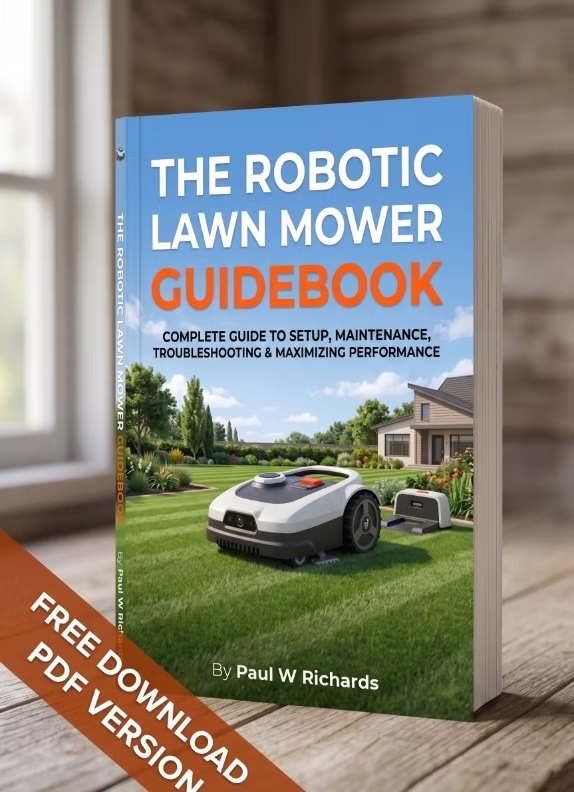
The course textbook
The Robotic Lawn Mower Owner's Handbook covers every module here in ~130 pages, with QR codes to the same companion videos. The PDF is free for Zippy members, or grab the paperback for the shelf.
📘 Get the handbook →Course FAQ
Is the Navimow owner course free?
Completely. Every lesson is free to read and watch, with no account required — your progress checkboxes are saved in your browser. The two hands-on lessons use our free lawn tool, where a free account saves your work.
Which Navimow models does the course cover?
All of them — the i Series, the X3 Series, the X4 Series (X430 and X450), and the commercial Terranox line. The navigation, mapping, scheduling and maintenance principles are the same across the lineup, and lessons call out model differences where they matter.
Do I have to take the lessons in order?
It's designed to run start to finish for a new owner — the navigation module makes everything after it click. But every lesson stands alone, so jumping straight to scheduling or blade changes works fine.
How long does the course take?
About 2.2 hours total across 18 lessons — most are 5–10 minutes. It's self-paced, and the page remembers where you left off.
Stuck on a lesson — or on a lawn?
We're an authorized Segway Navimow dealer and service center with nationwide sales, shipping and remote support. A human who installs these for a living is one text away: Call or Text Us at 410-725-7500.