
Where to Put Your Navimow Charging Station (and Why It Pauses)
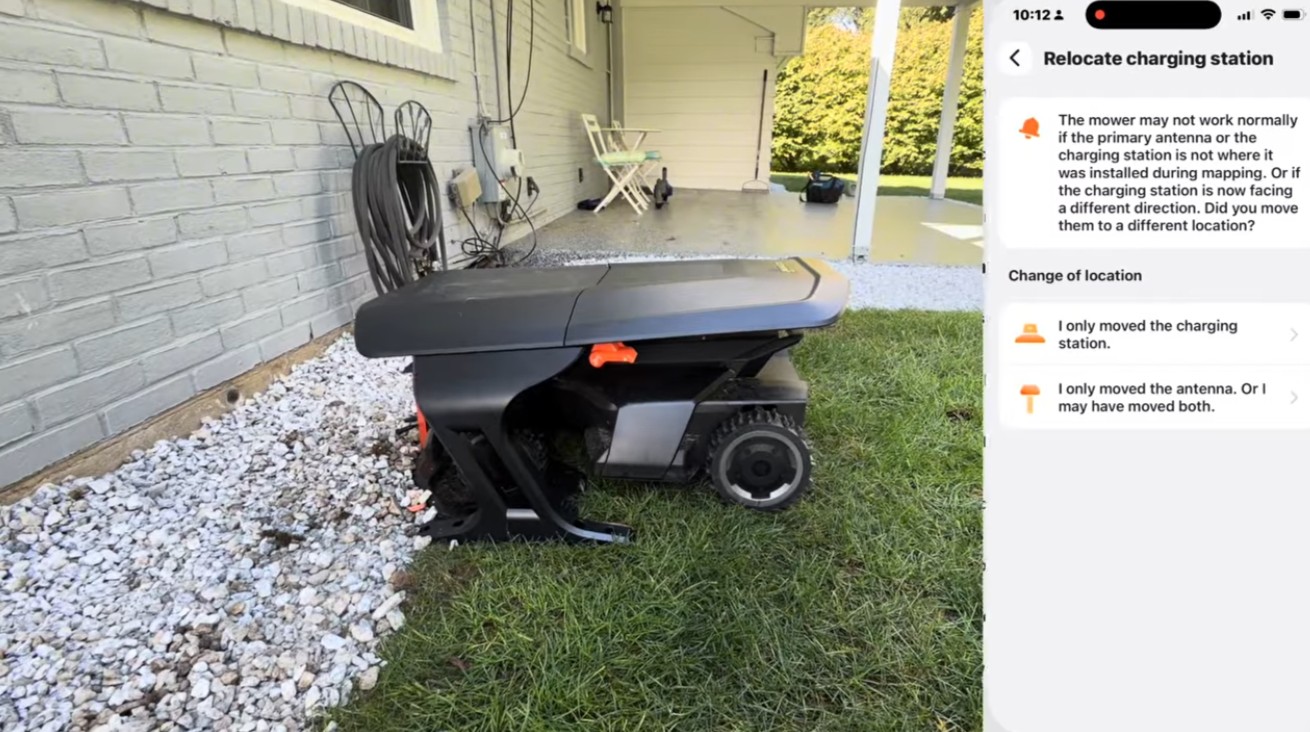
A lot of our service calls open with the same sentence: “It was working great, and now it keeps stopping while it charges.”
Nine times out of ten the mower is fine. The problem is where the charging station is sitting.
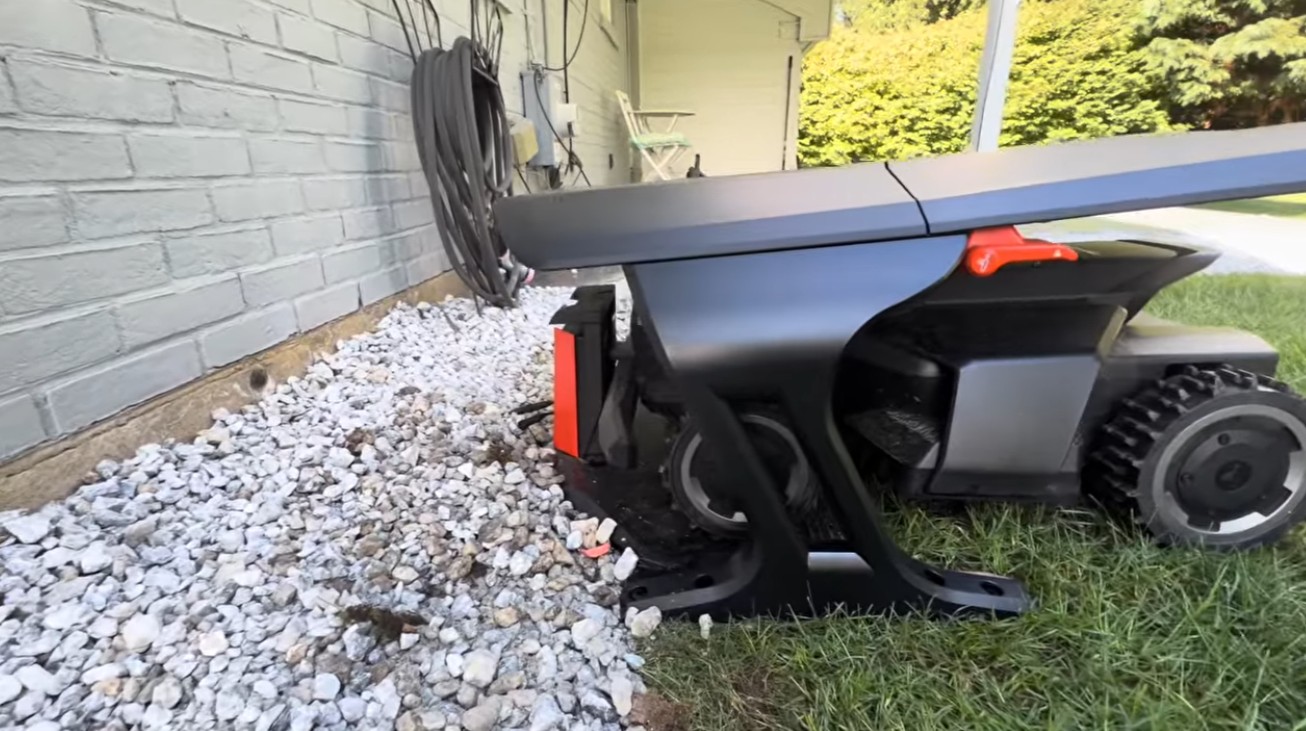
We took this one as a service call — relocated the customer’s station and fitted a Segway Navimow garage. Here’s the whole walkthrough, and the reasoning behind each decision, because the reasoning is the part that transfers to your lawn.
Why does a Navimow pause while it’s charging?
Because the battery is protecting itself. That pause is the battery management system doing its job, not a defect.
A lithium-ion pack makes heat while it charges. A mower that has just come in from an hour of cutting on a July afternoon is already warm before a single amp goes in. Park that on a dock in direct sun and you’re stacking heat on heat — the pack hits its temperature threshold and the mower pauses the charge until things come back down.
The charge does finish. It just takes far longer than it should, and everything downstream of it slips: the next zone starts late, the schedule runs behind, and by the end of the week there’s grass that didn’t get cut on time. Owners read that as “my mower is broken.” It’s really “my mower is hot.”
Shade changes the arithmetic. A machine charging in the shade starts cooler and sheds heat faster, so it charges quicker, pauses less, and gets back out on schedule. That’s the whole reason we care where a dock sits — and how long the battery lasts over the years is helped by the same thing, because heat is what ages a pack.
Where should the charging station actually go?
Central to the zones it services — not at whichever outdoor outlet happens to be closest.
The mower drives from the dock out to each zone, and all the way back when the battery runs low. Every foot of that is battery spent commuting instead of cutting. At the X450’s 2 ft/s travel speed, a dock 300 feet from the zone being mowed costs roughly two and a half minutes each way — about five minutes of a two-hour run, on every single trip home. Put the station in the middle of the work instead and that time goes into grass.
Before committing to a spot, walk it and check:
- Which zones does the mower visit most often? Weight the position toward those, not toward the far corner you mow monthly.
- Is the path from dock to zone clear and reasonably flat? The mower has to drive it, not just the shortest line on a map.
- Is there open sky above it? The mower establishes its satellite fix at the station before it leaves. A spot with a roof over it stops the job before it starts.
- Can you get power there safely? A cord stretched across a lawn is a trip hazard and eventually a cut cord. Buried cable is part of a proper install for a reason.
- Is the ground level? A station set on soft soil settles unevenly over a season, and a tilted dock throws docking errors.
What should never go over the dock?
Anything metal or solidly framed — a metal awning, a pool deck, a shed roof, a covered porch.
This is the well-intentioned mistake we’re called out to fix most often. Tucking the station under cover looks like good care: the mower stays dry, the station stays out of the weather. But the mower depends on satellite positioning and radio communication to know where it is, and metal roofing, deck framing and solid structures block or reflect exactly those signals.
The symptoms read like a broken machine: positioning errors when it docks, a long hunt for a fix, or a mower that flatly refuses to leave the station. Nothing is wrong with it. You solved a weather problem and bought a navigation problem.
We learned this the expensive way on a Warrington, PA install where the customer wanted the dock under his pool deck. The RTK antenna was out in the open at the edge of the deck, in clear sky, and the mower still wouldn’t finish its mapping run — because the antenna’s sky view and the dock’s sky view are two separate requirements, and both have to be met. That’s also why where you mount the antenna is its own decision, not an afterthought.
| Overhead cover | Mower can still find itself? |
|---|---|
| Open sky | Yes — the target |
| Navimow garage (moulded plastic) | Yes |
| Wooden pool deck / framed porch | No |
| Metal awning or shed roof | No |
| Dense evergreen canopy | Usually not — and it drops debris |
Is the Navimow garage worth it?
Mostly for the shade — and the fact that it’s plastic is the entire engineering point.
A garage gives the mower a roof without blocking what the mower needs to see through that roof. It earns its price three ways:
- It keeps the weather off. Rain, wind-blown grit and falling leaves stay off the machine and out of the charging contacts. Contacts that stay clean are contacts that keep charging reliably, which is half of keeping a Navimow healthy.
- It provides shade. The one nobody thinks about until they’re troubleshooting the pause described at the top of this page.
- It makes the install look deliberate. Paired with a mat underneath, the setup reads as part of the property instead of an appliance abandoned on the lawn.
Here’s the honest limit: a garage is not a signal fix. It doesn’t rescue a bad location. A garage over a dock that’s still under a deck is a dock under a deck. Get the position right first, then shelter it. We keep a running list of which Navimow accessories actually change how the mower runs, and the garage is on it for the shade, not the looks.
How do you relocate the station without re-mapping?
Segway built the move into the app, so your map and zones survive it. In the Navimow app: Settings → Maintenance & Tools → Relocate charging station.
The order that works:
- Run the Installation Location Finder first — it’s in the same menu. If you’re at all unsure whether the new spot holds a solid signal, find that out before you run power to it.
- Physically move the station and plug it in, level, facing out with a clear approach for docking.
- Open Relocate charging station and follow the prompts to re-establish where home is.
- Answer the app’s question honestly. It asks whether you moved only the station, or the antenna as well — those are different jobs, and the answer decides what it re-establishes. Telling it the wrong one is how people end up with positioning errors after a move that otherwise went fine.
- Watch the first job out and the first dock back in. Two minutes of standing there is worth more than any reading on a screen.
Your existing map and zones stay intact. The whole thing takes a few minutes once the station is in place.
And put a mat under it
Short version, because we covered the reasoning in the Maryland farm install: the mower can’t cut right up to the station — it needs clearance to dock — so there’s always a ring of grass around the base that never gets mowed. By midsummer that ring is taller than everything else and weeds are coming up through the station.
A rubber mat underneath ends it. Nothing grows through, the base stays clean, and you’re not trimming around a piece of electronics every other week.
The six-point checklist
A Navimow charging station wants a spot that is:
- Central to the zones you mow most
- Open to the sky — no metal, deck or solid structure overhead
- Level, with a clear straight approach for docking
- Within safe reach of power, ideally on buried cable
- Sitting on a rubber mat
- Under a Navimow garage for shade and weather
Get those six right and most charging and docking headaches never happen. Get one wrong — usually number two — and it looks like the mower’s fault.
Talk to a dealer who has moved a few of these
Zippy Lawnz is an authorized Segway Navimow, Mammotion and Yarbo dealer and service center covering Pennsylvania, New Jersey, Maryland, Delaware, Virginia and Colorado. We handle installation, mapping and zone design, dock and antenna siting, garage setup, and ongoing service — including relocations like this one on mowers we didn’t sell.
- 📍 Check my lawn — free — your real mowable area and sky view in about two minutes.
- 🗺️ Book a site assessment — we’ll plan the dock, the antenna and the zones together, before anything gets mounted.
📞 410-725-7500 · ✉️ [email protected]
Frequently asked
Why does my Navimow stop charging and show a temperature error?
Because the battery is protecting itself, not because the mower is faulty. A lithium-ion pack generates heat while it charges, and a mower that has just come in from an hour of cutting on a hot day is already warm before the charge starts. Park that on a dock in full afternoon sun and the pack reaches its temperature threshold, so the battery management system pauses the charge until it cools. The charge finishes eventually — it just takes far longer, and everything behind it on the schedule slips. Shade is the fix: a mower that starts cooler and sheds heat faster charges faster and gets back out on time.
Where should a Navimow charging station be installed?
Central to the zones it mows most, on level ground, with open sky overhead and safe access to power — not simply at the nearest outdoor outlet. The mower drives from the dock out to each zone and all the way back when the battery runs low, and at the X450's 2 ft/s travel speed a dock 300 feet from the working zone costs about five minutes of a two-hour run on every round trip. Move the station toward the middle of the work and more of each charge goes into cutting instead of commuting.
Can a robot mower charging station go under a metal roof, awning or pool deck?
No — this is the most common well-intentioned mistake we're called out to fix. The mower has to establish its satellite position at the dock before it leaves, and metal roofing, deck framing and solid overhead structures block or reflect the signals it needs. The symptoms look like a broken mower: positioning errors on docking, or the machine simply refusing to start a job. You solved a weather problem and created a navigation problem. Shelter the dock with something transparent to radio instead — the plastic Navimow garage exists for exactly this reason.
How do you relocate a Navimow charging station without re-mapping the lawn?
In the Navimow app: Settings → Maintenance & Tools → Relocate charging station. Move and plug in the station first, then run the Installation Location Finder in that same menu if you're unsure the new spot holds a solid signal, and follow the prompts to re-establish the station's position. Your existing map and zones stay intact and the whole thing takes a few minutes. Answer the app's question honestly when it asks whether you moved only the station or the antenna as well — that answer decides what it re-establishes, and getting it wrong is what produces positioning errors afterwards.
Is the Segway Navimow garage worth buying?
For most installs, yes — mainly for shade. It keeps rain, wind-blown debris and falling leaves off the mower and out of the charging contacts, and it keeps the machine out of direct sun so the battery isn't charging hot and pausing to cool. It's moulded plastic on purpose: unlike a metal awning or a deck, it doesn't block the satellite and radio signals the mower needs at the dock. What it isn't is a rescue for a bad location — a garage over a dock tucked under a deck still can't see the sky.
Keep reading
 Customer InstallsNavimow X450 on a 1.82-Acre Maryland Farm: Why We Split the ZonesA 1.82-acre farm install on a 1.5-acre-rated Navimow X450 — splitting an L-shaped zone, when to lock a mowing direction, and why the dock sits on a rubber mat.
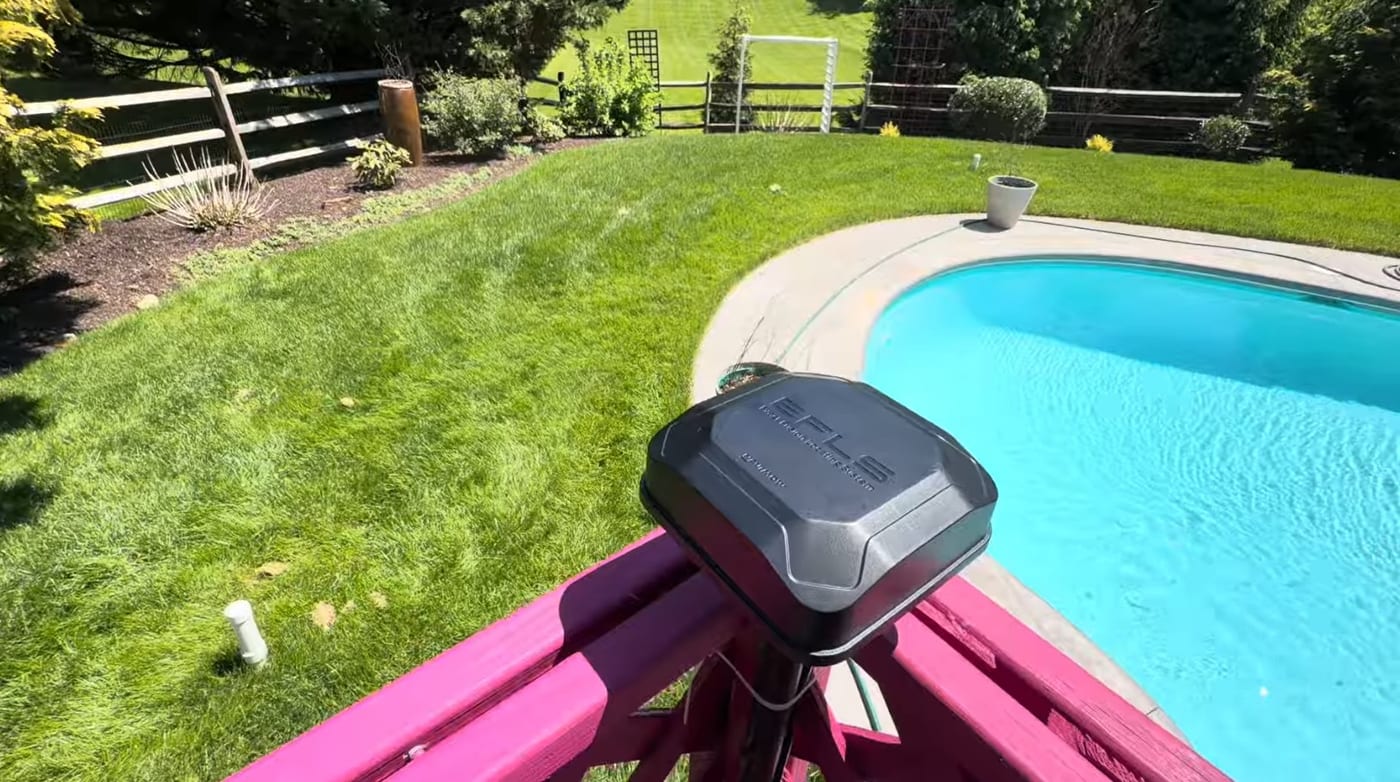 Installation & SetupWhere to Install Your Robot Mower's RTK Antenna (4 Rules)Mount your robot mower's RTK antenna wrong and it drifts after a season. The 4 rules of RTK placement — open sky, height, rigid mounting, and reflective surfaces.
 Customer InstallsWhy He Ripped Out His Boundary Wire Mower — Warrington, PASix years without aerating, because of one buried wire. Why a Warrington, Bucks County homeowner swapped his boundary wire robot mower for a wire-free Navimow X430.
Explore the system
The mowers and pages behind this topic — see them sized to your yard.