
Start with the physics — how the mower knows where it is
Satellites, the correction signal, vision and LiDAR — the flagship explainer with live visuals. Five minutes here makes every fix below make sense, and the satellite piece has its own deep-dive: how many a mower actually needs, and what a tree line takes away.
 Guide How Many Satellites Does a Robot Mower Need? RTK mowers steer by GPS, Galileo, GLONASS and BeiDou. How many satellites your lawn needs, what tree cover takes away, and how to check your own sky for free. Read the guide →
 Choose the correction path — NetRTK vs Local RTK
Every Navimow ships defaulted to NetRTK over the internet — while the base antenna in the box runs a direct sub-GHz radio link with lower latency and zero dependence on your cell coverage. Most owners never knew they were choosing. Here's which mode your yard should run.
Running Local RTK? Placement, range and reach
The base-station route done right: the 4 placement rules that prevent silent drift, the real-world 600-foot range test, and the second antenna that covers what the first can't.
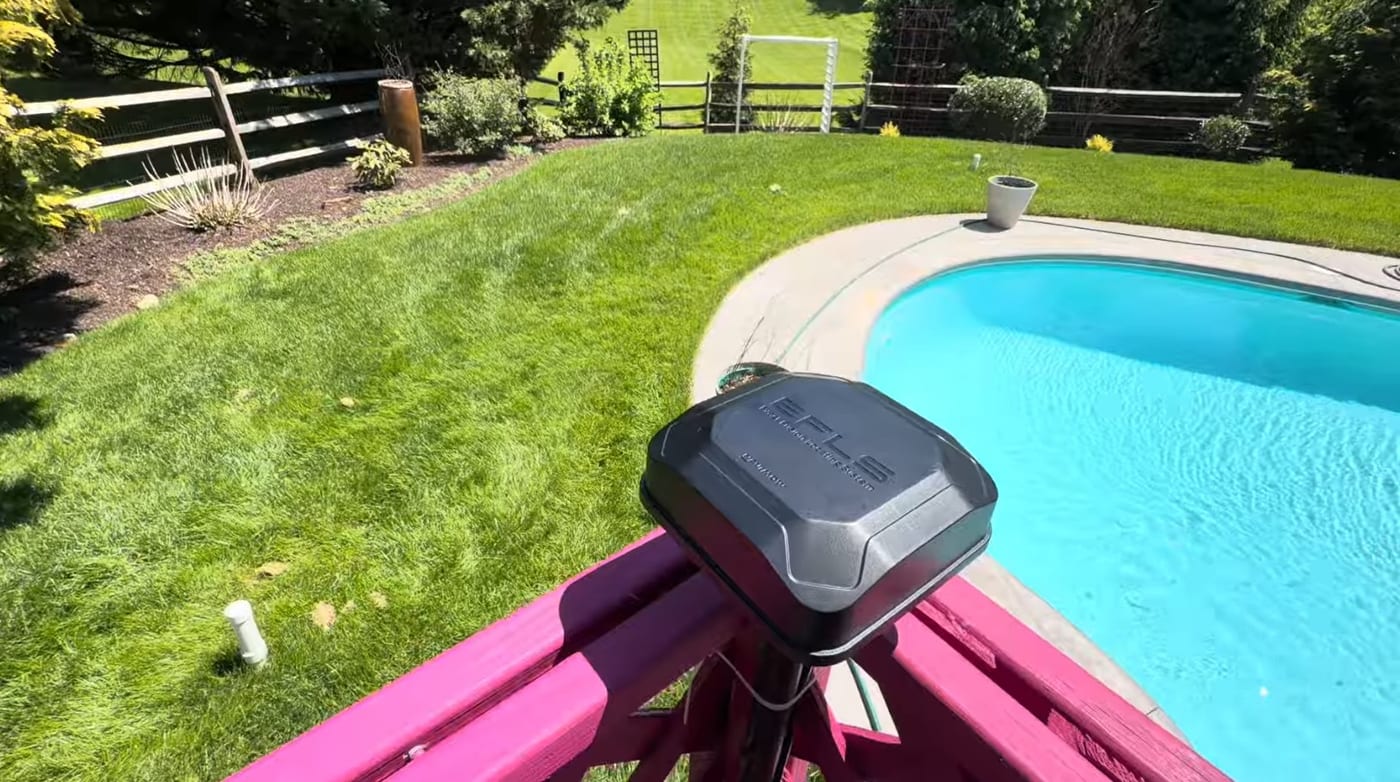 Installation & Setup Where to Install Your Robot Mower's RTK Antenna (4 Rules) Mount your robot mower's RTK antenna wrong and it drifts after a season. The 4 rules of RTK placement — open sky, height, rigid mounting, and reflective surfaces. Read the guide →
  Customer Installs How Far Does Navimow RTK Reach Through Trees? A Paoli, PA Install We tested Navimow RTK range with clear line of sight and through trees, mounted a charging station on a brick patio with concrete anchors, and set up VisionFence. Read the guide →
  Installation & Setup Navimow Signal Enhancement Antenna: Do You Need a Second RTK Unit? Navimow mows the front fine but goes yellow out back? That's the edge of RTK range. When a second antenna is the fix, where to mount it, and what it costs. Read the guide →
 Running NetRTK? Strengthen the data link
NetRTK is only as good as the connection carrying it. On weak-cellular properties, strong 2.4 GHz WiFi over the lawn replaces the shaky link entirely — here's the $160 shed-extender install that ended the dropouts.

When the sky itself is the problem
No correction path fixes a blocked sky — both modes still need the mower to see satellites. Under heavy canopy, LiDAR navigation sidesteps the sky entirely. Start here if your yard lives in the shade.
Explore the system
Frequently asked
Is my robot mower using NetRTK or a base station?
If nobody deliberately mounted and paired the base antenna, you're on NetRTK — it's the out-of-the-box default on a Navimow because it needs zero hardware. The quickest tell: if the antenna that came in the box is still in the box, your corrections have been arriving over the internet all along. The NetRTK vs Local RTK guide above covers how to check and when to switch.
Which is more accurate — NetRTK or a local base station?
Both are centimeter-class when healthy. The base station is the steadier instrument: its reference sits in your yard instead of miles away, and its corrections arrive over a dedicated low-frequency radio in one hop — milliseconds, no internet involved — so the fix doesn't stutter when the cell network does, and it keeps working in dead zones.
Why does my mower lose signal in the same spot every time?
Same-spot failures are geometry, not bad luck — you're at the edge of some coverage circle. Which circle depends on your mode: on Local RTK it's the base station's radio range (roughly 600 feet, extendable with a second antenna); on NetRTK it's a cellular or WiFi dead zone. Same symptom, opposite fixes — the guides above split the diagnosis.
Can I check my yard's signal before buying a mower?
Yes — type your address into our free lawn check. It measures the RTK sky view zone by zone from satellite and tree-cover data, and estimates cellular strength for the property (labeled honestly as an estimate — we confirm signal on site before any install). It's the same first step we run on every quote.