
How to Switch a Navimow to Local RTK (It Ships on NetRTK)
A Navimow ships on NetRTK, and it keeps using NetRTK until you switch it. A lot of people mount the antenna and never do.
That’s the step that gets forgotten most on Navimow installs. The mower mows fine out of the box, because NetRTK pulls its positioning corrections over the internet with no hardware at all. So the antenna stays in the box, or it goes up on the wall and nobody tells the mower to use it. Then the first cellular dropout parks the mower in the middle of the lawn with a yellow light.
On a property with good cellular that’s a fair trade. On a property like our recent install in Phoenixville, PA, with about two bars of AT&T and trees on every side, NetRTK was never going to work. Here’s how we mount the antenna, pair it, and switch the mower over, and how to tell from the light that it took.
Which mode is my Navimow on right now?
If nobody switched it, NetRTK. Every Navimow X-series arrives with the antenna in the box and the mower set to pull corrections from Navimow’s network over its built-in cellular connection. That’s deliberate on Segway’s part: zero setup, nothing to mount.
The quickest tell is the box. If the antenna is still in it, you’re on NetRTK. If someone mounted it, open the app and look under the mower’s Advanced features for the positioning mode. Mounting the antenna is not the same as using it.
The full comparison of the two paths, and why the antenna’s direct radio link wins on latency, is in NetRTK vs local RTK on a Navimow. The short version for the switch:
| NetRTK | Local RTK (your antenna) | |
|---|---|---|
| Corrections arrive | Over the internet, via cellular or Wi-Fi | Over the antenna’s own 900 MHz-band radio, one hop |
| Depends on | Cell coverage across the whole lawn | The antenna seeing the sky, and reach |
| Reach | No distance limit from a base | About 200 m / 600 ft clear, about half through trees |
| Setup | None | Mount, power, pair, switch |
| Fails when | The data link drops | The mower leaves the antenna’s reach |
Why switch to the local antenna?
Because your position shouldn’t ride on a cellular signal. NetRTK corrections are perishable: each one describes the atmosphere right now, and it goes stale within seconds. When the link carrying them stutters, the fix loosens and the light goes yellow. Two bars of AT&T stutters.
The antenna in the box sends the same corrections straight to the mower over a dedicated 900 MHz-band radio: milliseconds, no internet involved, and a frequency low enough to get through trees. Navimow rates each antenna for about a 200-meter radius, roughly 600 feet, with a clear line of sight. On the Phoenixville lawn the far side sits about 75 feet from the antenna through a line of trees, and the light is blue out there.
The mower still uses cellular or Wi-Fi for everything else: the app, schedules, notifications and firmware updates. The switch takes your position off the network’s shoulders, nothing more.
Step 1: Mount the antenna where it sees the sky
Above the roofline, with about 120 degrees of open sky around it. Navimow’s own placement rule is an open cone of more than 110 degrees above the antenna head, and on a lot with trees the only place that exists is above the roof.
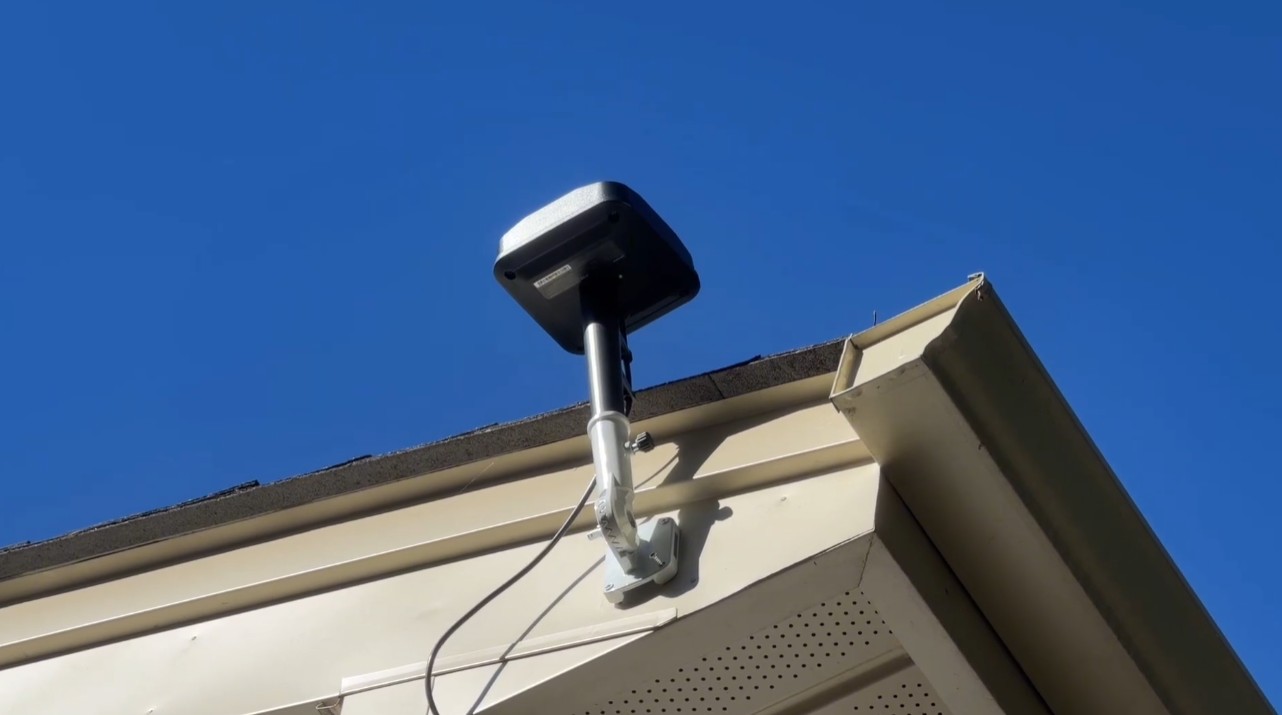
On that house the antenna sits on a wall mount screwed to the fascia, high enough that the head clears the lip of the roof. We use a white mount on light trim and a black one on a dark house. The cable runs down the siding and underground to the charging station on an RTK extension cable, so nothing shows in the yard and nothing is in the mower’s path. The pole and base fork in the box work too, and they’re the right answer where a wall can’t see enough sky, but a pole in the lawn is an eyesore and one more thing to mow around.
Two tools in the app help you pick the spot, both under Settings, then MOWER, then Maintenance & Tools:
- Antenna Location Finder drives the mower around the edge of the lawn to sample the sky, then recommends where to put the antenna and the station.
- Satellite Signal Analyzer counts the satellites the mower and the antenna can both see. Navimow wants at least five of those co-visible satellites; more is better.
The four placement rules, including the one about rigid mounting that prevents slow drift, are in where to install your RTK antenna. Our free sky-view check measures your property’s open sky from satellite before anything gets mounted.
Step 2: Power it and pair it
The primary antenna is powered through its cable to the charging station, which is why Navimow says to keep the station near it. When the antenna has to live farther away, as it does above a roof, there are two accessories: a 10-meter antenna extension cable, and a separate power adapter so the antenna can run off an outdoor outlet instead. Keep the cable off the lawn and out of the mower’s path; Navimow is explicit about that, and so are we. Bury it.
A second antenna (the Signal Enhancement Antenna) has its own 12-volt adapter and pairs through the app: Settings, MOWER, Advanced features, EFLS 3.0, Dual antennas, Add. Put the mower within 10 meters, press the button under the antenna head, and the light on it turns green when the pairing takes.
Step 3: Switch the mower over in the app
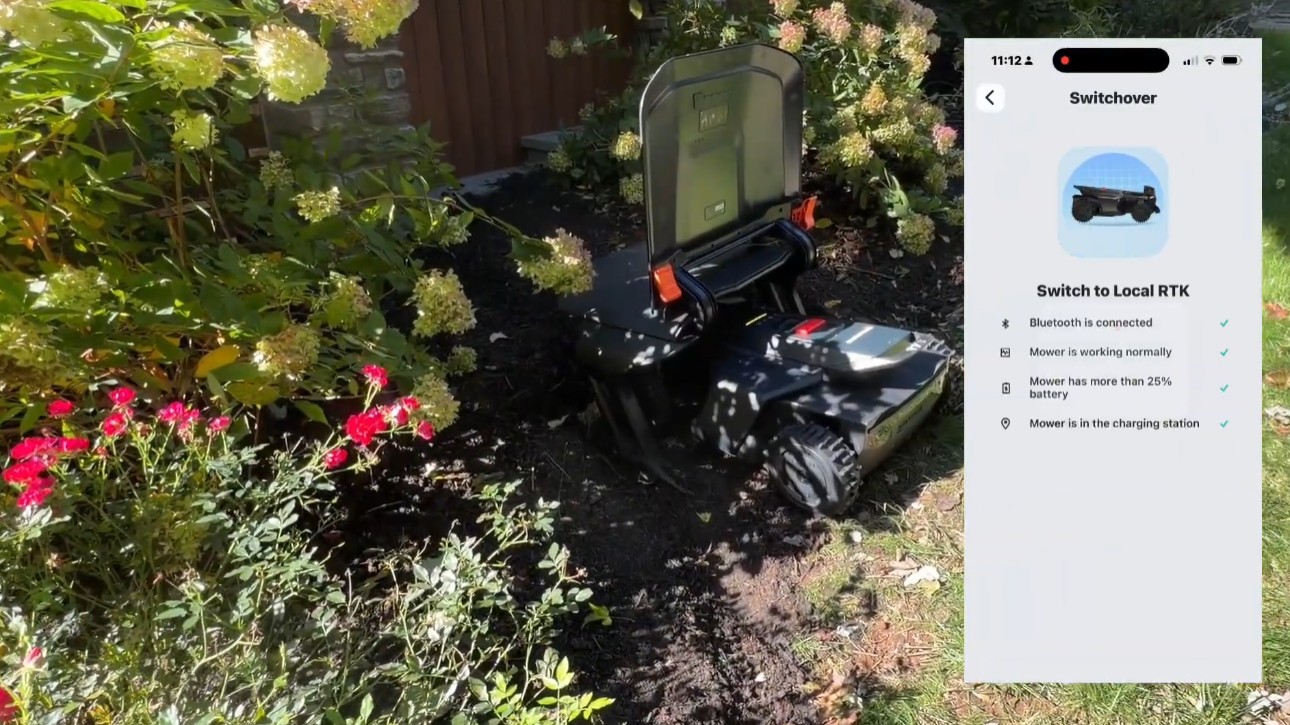
Under the mower’s Advanced features, choose Switch to Local RTK. The app runs a short checklist before it lets you:
- Bluetooth is connected
- The mower is working normally
- The mower has more than 25% battery
- The mower is in the charging station
Then it switches. Give it a few minutes: Navimow’s X4 FAQ notes that the mower runs an alignment between the two modes, and that the map carries over, so there’s no remapping. If you ever need to go back to NetRTK (an antenna fault, say), the same switch works in the other direction.
Step 4: Check that it worked
Drive the mower to the farthest corner and under the trees, and look at the light. Blue means it’s getting a stable fix from the antenna. Yellow means it isn’t. On install day we take the mower to every corner of every zone before we call the antenna placement done, because this is the only test that counts.
If a corner is yellow:
- Check the antenna is powered and paired, and that the switch actually completed.
- Check its sky. A head below the roofline, or against a wall, or under an eave, sees too few satellites. The Satellite Signal Analyzer will show it.
- Check the distance. Past about 600 feet clear, or about 300 feet through trees, you’re outside the antenna’s reach. The fix is height, a better spot, or the second antenna.
What every Navimow light color means covers the rest of the colors.
Should you ever stay on NetRTK?
Yes, when the cellular is strong across the whole lawn and there’s nowhere good to mount. NetRTK has no distance limit from a base, and on a property with solid coverage it’s genuinely good. The honest question is whether every corner of your lawn has that coverage, not just the driveway. Our free lawn check gives a cellular estimate for the property (labeled as an estimate; we confirm on site). If it comes back weak, or the lawn is big and treed, the antenna in the box is the steadier instrument.
The short version
- A Navimow ships on NetRTK. Mounting the antenna doesn’t change that.
- Mount it above the roofline, about 120 degrees of sky, on a wall mount that matches the trim, cable buried.
- Power it through the station or its own adapter, and pair a second antenna if the lawn needs one.
- Switch to Local RTK under Advanced features: docked, Bluetooth on, over 25% battery, a few minutes, no remap.
- Check the light in the far corners. Blue means done.
Get the antenna done right
Zippy Lawnz is an authorized dealer and service center for Segway Navimow, Mammotion, Yarbo and Lopkin, with hands-on installs across Pennsylvania, New Jersey, Maryland, Delaware, Virginia and Colorado. Every install includes the antenna mount, the switch, and a corner-by-corner signal check, and we’ll mount and switch an antenna on a mower we didn’t sell.
- 📍 Check my lawn — free — your property’s sky view and cellular estimate, measured from satellite in about two minutes.
- 🗺️ Book a site assessment — we’ll pick the antenna spot with you before anything gets mounted.
- 📞 Call or Text Us: 410-725-7500
Frequently asked
Is my Navimow on NetRTK or Local RTK?
If nobody mounted the antenna and switched the mower over in the app, it's on NetRTK. That's the factory default, because it needs no hardware. The quickest tell is whether the antenna that came in the box is still in the box. Mounting it is not enough on its own: the mower keeps using NetRTK until you switch it over under the app's Advanced features.
Do I have to remap my lawn after switching to Local RTK?
No. Navimow's X4 FAQ says the map carries over when you switch between Local RTK and NetRTK. The switch takes a few minutes, because the mower runs an alignment between the two modes, and the app asks that it be docked, connected over Bluetooth and above 25% battery while it does.
How far does the local RTK antenna reach?
Navimow rates each antenna for about a 200-meter radius, roughly 600 feet, with a clear line of sight. Through trees, plan on about half that. The link is a 900 MHz-band radio, so it gets through foliage far better than Wi-Fi would. On our Phoenixville install the far side of the lawn is about 75 feet from the antenna through a tree line and the mower's light stays blue there. A lawn one antenna can't cover takes the Signal Enhancement Antenna as a second.
Does Local RTK need the internet?
Not for positioning. The corrections travel from the antenna to the mower over the antenna's own radio, in one hop, with no internet involved. The mower still uses its cellular or Wi-Fi connection for the app, schedules, notifications and firmware updates, so a data link is still worth having. It just isn't carrying your position anymore.
What if the light stays yellow after I switch?
Yellow means the mower isn't getting a usable positioning signal. Check that the antenna is powered and paired, then check its sky: it needs an open cone of more than 110 degrees above it, which on a treed lot usually means above the roofline. Navimow's Satellite Signal Analyzer (Settings, MOWER, Maintenance & Tools) tells you how many satellites the mower and antenna both see; it wants at least five. If one corner stays yellow, that corner is past the antenna's reach through the trees, and the fix is height or a second antenna.
Keep reading
 Installation & SetupNetRTK vs Local RTK on a Navimow: Which Should You Run?Every Navimow runs one of two correction paths: NetRTK over the internet, or your own base station's direct radio link. How each works and when to switch.
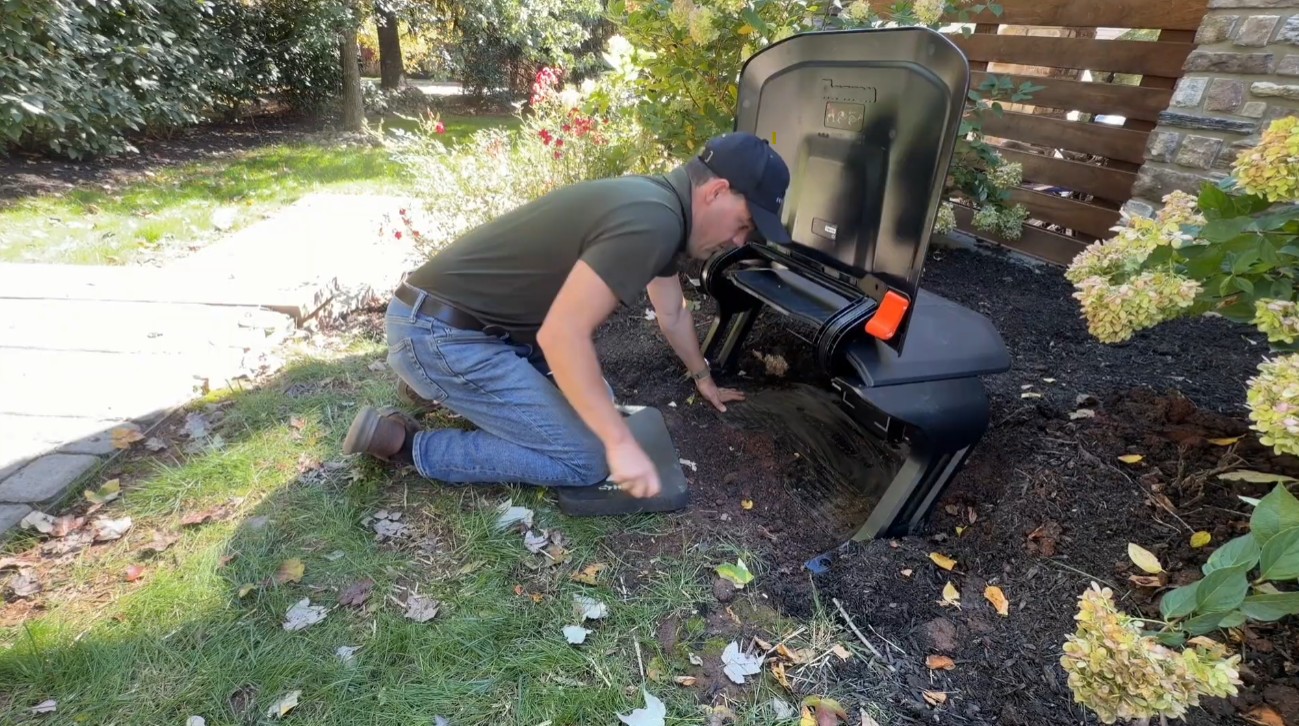 Installation & Setup5 Pro Navimow Install Tips Everyone Should KnowFive Navimow X430 install tips from a dealer: a weatherproof power supply box, an RTK antenna above the roofline, VisionFence-off zones and no driveway crossings.
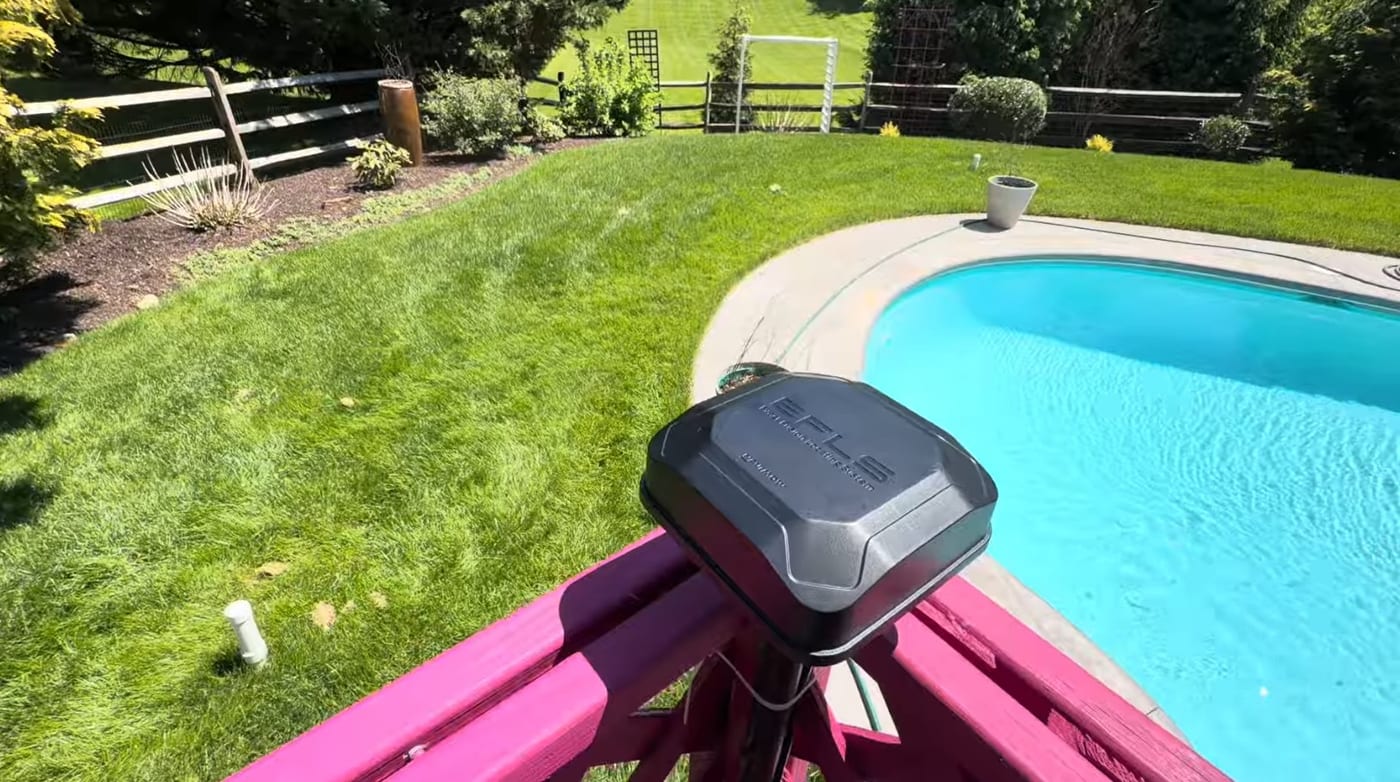 Installation & SetupWhere to Install Your Robot Mower's RTK Antenna (4 Rules)Mount your robot mower's RTK antenna wrong and it drifts after a season. The 4 rules of RTK placement — open sky, height, rigid mounting, and reflective surfaces.
Explore the system
The mowers and pages behind this topic — see them sized to your yard.